

Reports & Care Planning
ReportForge
Reports unfinished. Diagnosis codes missing. No care plan. Billing can’t go out. Insurance payments fall behind. Sometimes the bottleneck is the doctor.
ReportForge turns your approved exam, radiology, diagnoses and care plan into the Day 1 report package, with checkout codes ready for the front desk once you approve.
The short version
What you need to know in half a minute
With ReportForge, dictate your radiology report or drag and drop one from your radiologist, then confirm the diagnoses and care plan. ReportForge builds the Day 1 paperwork from your approved exam: history, exam, radiology, treatment plan, financials, the front desk sheet with checkout codes, and a take-home for the patient. You review and approve, and your team can move the case forward instead of waiting on your paperwork.
The problem
The exam is done, but the reports, diagnosis codes and care plan wait on you. Until they are finished, the front desk cannot check the patient out properly and billing sits.
What it does
You dictate or drop in the radiology report, approve the diagnosis codes, and confirm the care plan in one pop-up. ReportForge then builds the Day 1 package of 7 reports for you to review and approve.
What changes in your office
The paperwork follows the exam instead of piling up at the end of the week. Your front desk sees finished, approved documents and the checkout codes, and a tracker shows when the package is complete.
- Radiology dictated or dropped in, not typed.
- Diagnosis codes proposed in order, approved by you.
- Care plan confirmed in one pop-up.
- A tracker that says when paperwork is complete.
In your office
How ReportForge fits into your day
- Approve the exam in CopyThatAPPROVE & SEND in CopyThat hands the history and exam to ReportForge. Nothing is retyped.
- Add the radiologyDictate your radiology report, or drop in a report from your radiologist. Read it on the Radiology Review screen, answer any question such as the injury date, and approve.
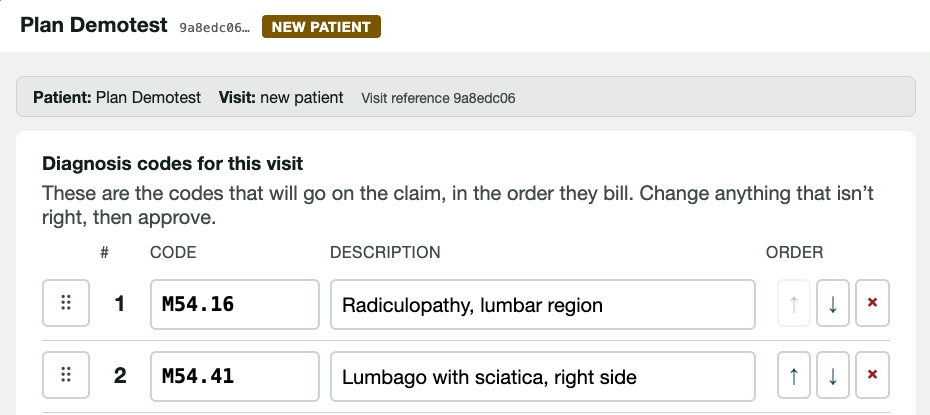
- Approve the diagnosis codesThe ICD-10 Review opens with proposed codes in billing order. Reorder, swap, search or remove, then press Approve & Unblock Reports.
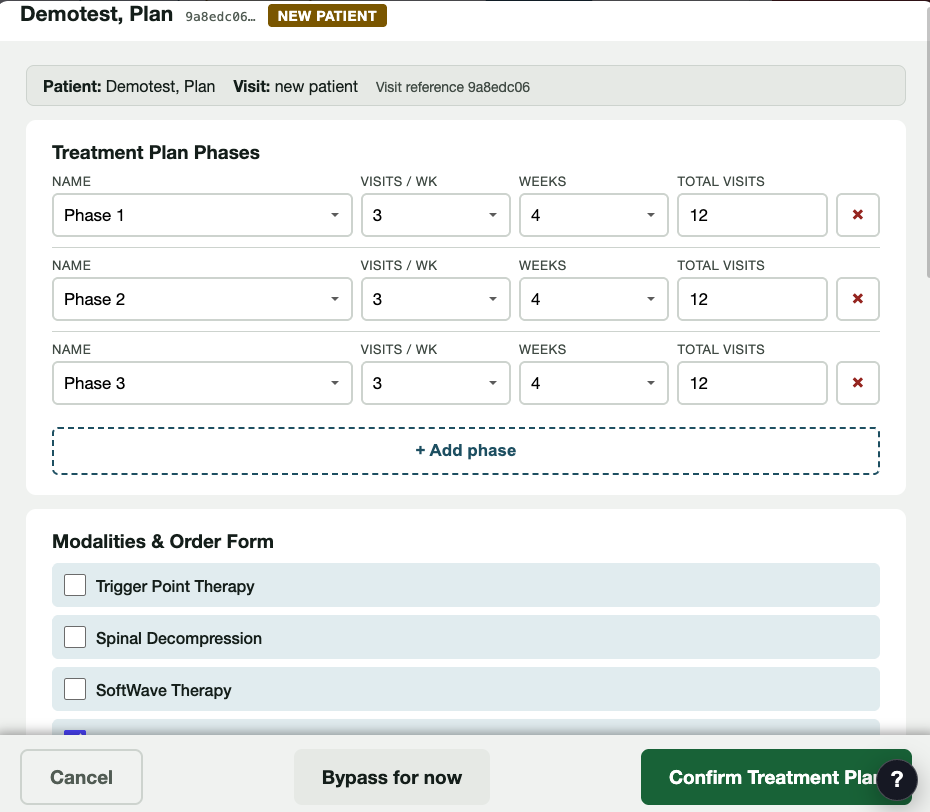
- Confirm the treatment planThe Treatment Plan pop-up opens next. Set phases, visits per week and weeks, tick modalities and home care, check the total, and confirm.
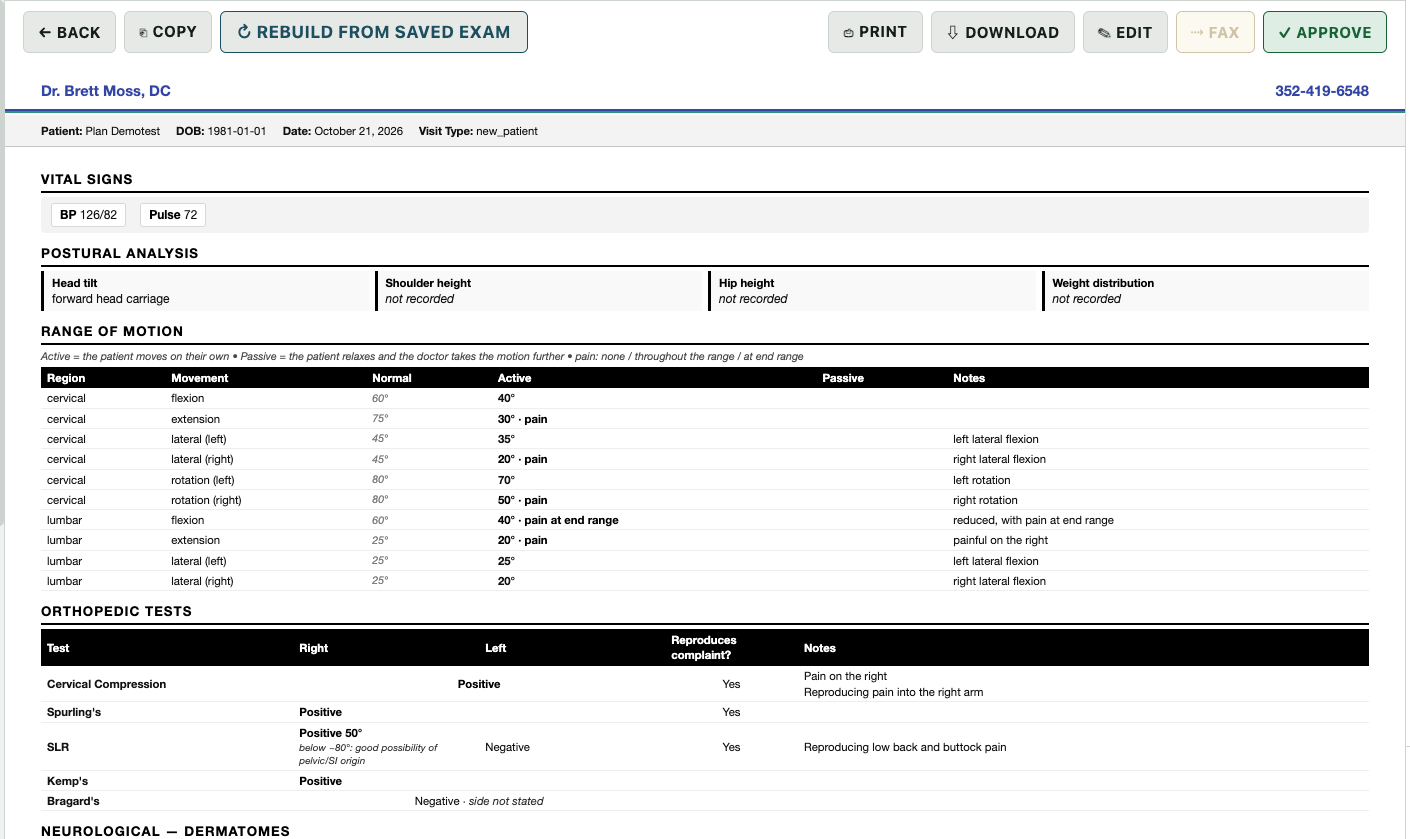
- Review and approve the reportsThe Day 1 reports are built from what you approved. Open each one, read it, and approve it. The tracker shows when all 7 are on file.
- Front desk picks it upApproved documents appear as outstanding work for your front desk, who can print them to the office printer and use the checkout codes.
See it working
Real screens, real system
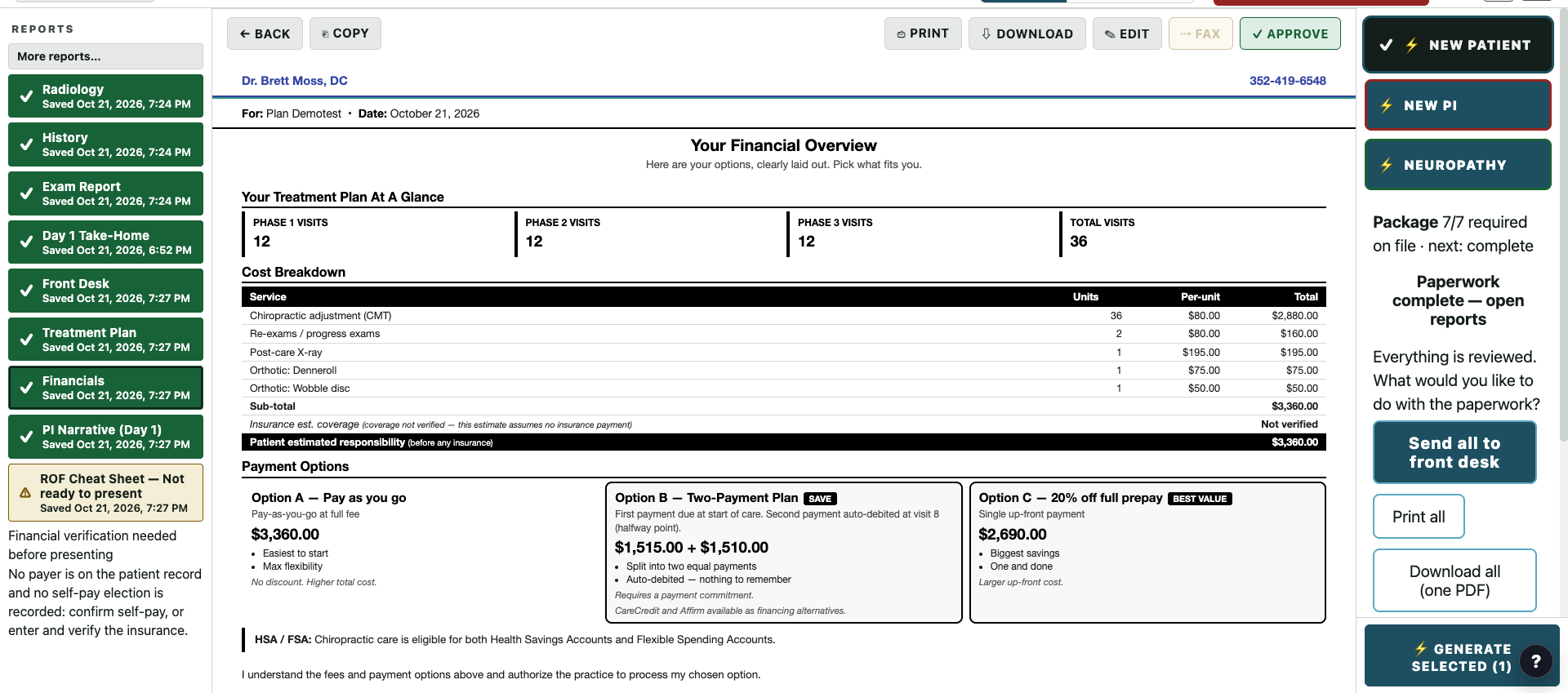
The clip and screens come from one fictional demo patient, Plan Demotest, a personal-injury new patient walked through on the doctor's own system on October 21, 2026. Prices shown are demo numbers from a practice template, not a quote.
In depth
What ReportForge does for your office
Say the findings, and the report is formatted
Dictate your radiology findings and ReportForge formats them into a Radiology Report, or drop in your radiologist's report instead. You read it on the review screen and approve it. Wording can differ from what you dictated, so the review step matters, and nothing moves on until you approve.
Codes proposed in order, decided by you
ReportForge proposes ICD-10 codes from a master list of 337, in billing order. You reorder, swap, search or remove, then approve. Codes it is unsure of are held back with a question for you, and the reports stay blocked until you approve, so nothing goes out on codes you did not see.
The care plan in one pop-up
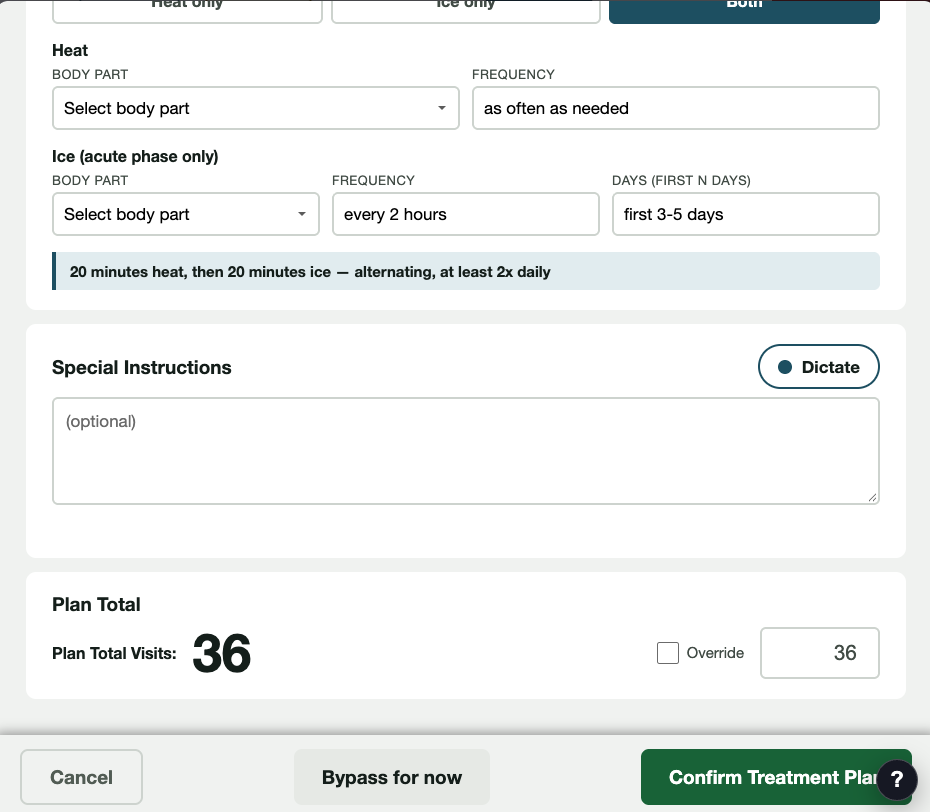
Right after the codes, the Treatment Plan pop-up asks for phases, visits per week and weeks, and adds up the total. Tick modalities such as SoftWave, spinal decompression, Denneroll or post x-rays, add ice and heat instructions, and confirm. That plan is the basis for the treatment plan letter, the financials and the front desk sheet, and you review each one.
A Day 1 package you can see finish
The Day 1 package is 7 reports: History, Exam Report, Radiology Report, Treatment Plan, Financials, Front Desk Sheet and Day 1 Take-Home. On a personal-injury case the PI Narrative takes the place of Financials. A tracker shows what is on file and says when paperwork is complete.
Changes are marked, and reports are re-made
When new information arrives, such as a confirmed injury date or a newly approved code, the affected reports are marked not current and re-made. You are not left guessing which version is the right one.
Front desk gets approved documents and codes
The Front Desk Sheet lists the ICD-10 codes and the CPT codes billed today, with care-plan totals for checkout. Approved documents show up as outstanding work for the front desk to print. ReportForge does not submit claims or post payments; your team still does that.
Your care plan is the clinical reasoning behind every visit that follows. It deserves to be written down, coded and handed to your team the same day you make it, not after hours when you are finally caught up.
The full list
Everything ReportForge does today
- Dictate the radiology report and receive a formatted Radiology Report.
- Import a radiologist's outside report and approve it.
- Radiology Review screen: read the report, answer the injury-date question, approve.
- ICD-10 Review: proposed codes in billing order; drag to reorder, swap, search, remove, then Approve & Unblock Reports.
- Codes drawn from a master list of 337 diagnosis codes; uncertain codes held back for your review.
- Reports stay blocked until the doctor approves the diagnoses and the radiology.
- Treatment Plan pop-up: phases, visits per week, weeks, plan total with override, 10 modality checkboxes, ice and heat instructions.
- Builds the Day 1 package of 7 reports: History, Exam Report, Radiology, Treatment Plan, Financials, Front Desk Sheet, Day 1 Take-Home.
- On a personal-injury case, the PI Narrative replaces Financials in the Day 1 package.
- Package tracker that shows when paperwork is complete.
- Marks affected reports not current when new information arrives, and re-makes them.
- Front Desk Sheet with ICD-10 codes and the CPT codes billed today, for checkout.
- Per-visit CPT planning, including adjustment level by spinal regions and extraspinal rules.
- Financials sheet with payment options from your practice template: pay as you go, two payments, or prepay.
- Approved documents appear as outstanding work for the front desk and print to the office printer.
- Personal-injury documents: PI checklist, PI Narrative, Initial PI Report and Final PI Report.
- Neuropathy reports: Initial Evaluation, 90-, 120- and 210-Day Reassessments, and Maintenance Reassessment, with doctor sign-off.
- NBS posture and balance reports: clinical assessment, PI documentation, patient summary, progress note and screening result.
- Medical-necessity letters for SoftWave and laser.
Who built it
ChiroUnchained was built by a practicing chiropractor. Dr. Brett Moss, DC, has been in practice since 1998, is a second-generation chiropractor, and built these tools in his own office, to fix the problems he lived with every day.